Retail Revive
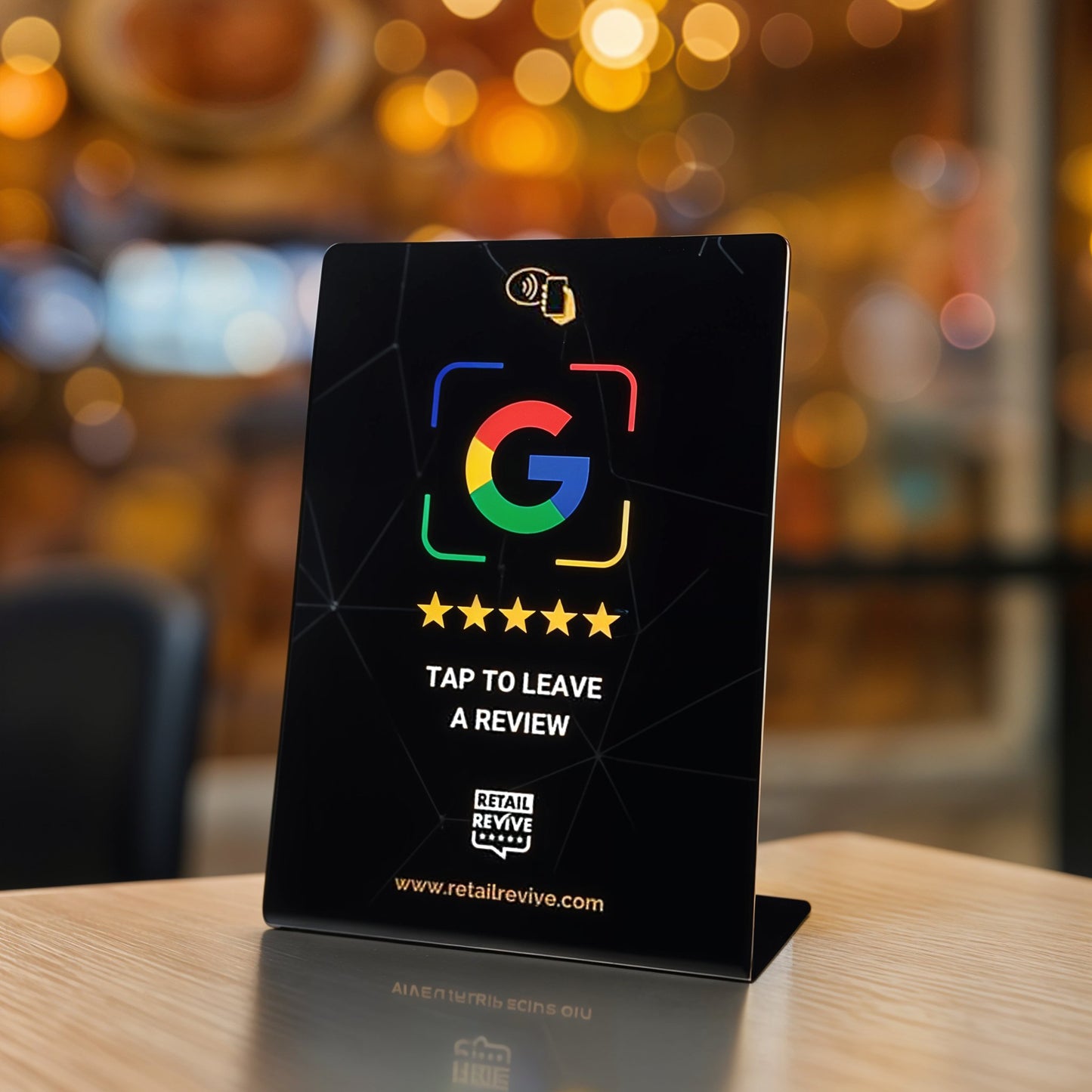
NFC Review Stand for Stores and Services
NFC Review Stand for Stores and Services
Free Economy shipping to eligible U.S. addresses. No subscription needed for basic NFC use.
Couldn't load pickup availability
Shipping, setup, and what is included
Free U.S. Economy shipping
Available for eligible U.S. addresses with no minimum order value. Select free Economy at checkout. Paid alternatives and international rates are shown at checkout. Shipping details and delivery estimates
Prepared for your business
After ordering, email support@retailrevive.com with your order number, business name, location, and Google review link. Link preparation and setup guidance are included.
No Review Booster subscription required for basic tap-to-open use. Hardware and software: what is included
Make it easier for customers to open your business review page at checkout, reception, or another in-person touchpoint. On a compatible phone, tapping the marked NFC area opens the link prepared for your business.
Product details
- A6 size: Approximately 105 × 148 mm (4⅛ × 5⅞ in).
- Freestanding design: Sits on a counter or desk without wall installation.
- Passive NFC: No batteries or charging required.
- Color options: Available in black and white.
Where to use it
Use the stand beside a register, front desk, reception window, waiting-area counter, or another staffed customer touchpoint.
What’s included
- 1 NFC review stand
- Link preparation for your business
- Setup guidance
No Review Booster subscription is required for the basic tap-to-open function. Software access is separate. See hardware and software details.
Order and setup
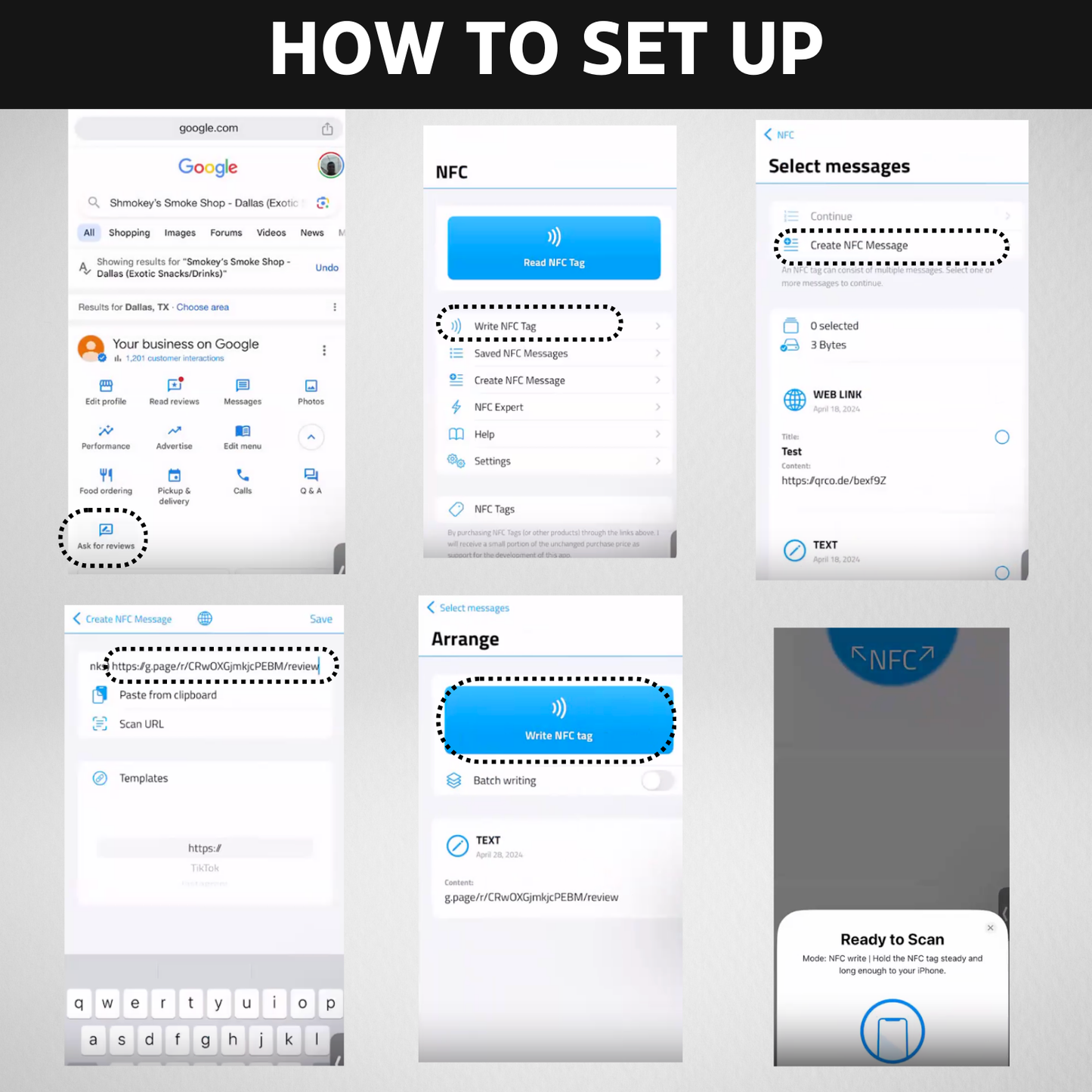
- Send your business details. After ordering, email support@retailrevive.com with your order number, business name, location, and Google review link.
- Test your prepared link. We prepare the destination link for your business. When your order arrives, test it on a compatible phone and confirm that the correct business page opens.
- Place it where customers can easily see and tap it.
Use the phone testing guides for your prepared product. Contact support before attempting to rewrite the tag.
Shipping
Free Economy shipping is available for eligible U.S. addresses with no minimum order value. Select the free Economy option at checkout. Paid upgrades and international shipping are calculated at checkout. See shipping details.
Common questions
Do customers need an app?
On most compatible NFC-enabled phones, a separate app is not needed to open the programmed link. NFC support and settings vary by device.
Can a phone case interfere?
Thick, metal, magnetic, or wallet-style accessories can interfere with a tap. Remove the accessory and try again if the link does not open.
Does the stand guarantee reviews or a particular rating?
No. The stand only makes the review page easier to reach. Results depend on customer participation and the experience your business provides.
What should I do if a tap does not work?
Unlock the phone, keep the screen on, move the upper or middle back of the phone slowly across the marked area, and review the NFC setup guides.
Explore other formats
- NFC Review Plaque for a fixed display
- NFC Review Card for mobile or appointment-based teams
- NFC Check Presenter for table-service restaurants
Invite honest feedback consistently. Do not pressure customers, offer improper incentives, or request a particular star rating.
Share