Retail Revive
NFC Check Presenter for Restaurants
NFC Check Presenter for Restaurants
Free Economy shipping to eligible U.S. addresses. No subscription needed for basic NFC use.
Couldn't load pickup availability
Shipping, setup, and what is included
Free U.S. Economy shipping
Available for eligible U.S. addresses with no minimum order value. Select free Economy at checkout. Paid alternatives and international rates are shown at checkout. Shipping details and delivery estimates
Prepared for your business
After ordering, email support@retailrevive.com with your order number, business name, location, and Google review link. Link preparation and setup guidance are included.
No Review Booster subscription required for basic tap-to-open use. Hardware and software: what is included
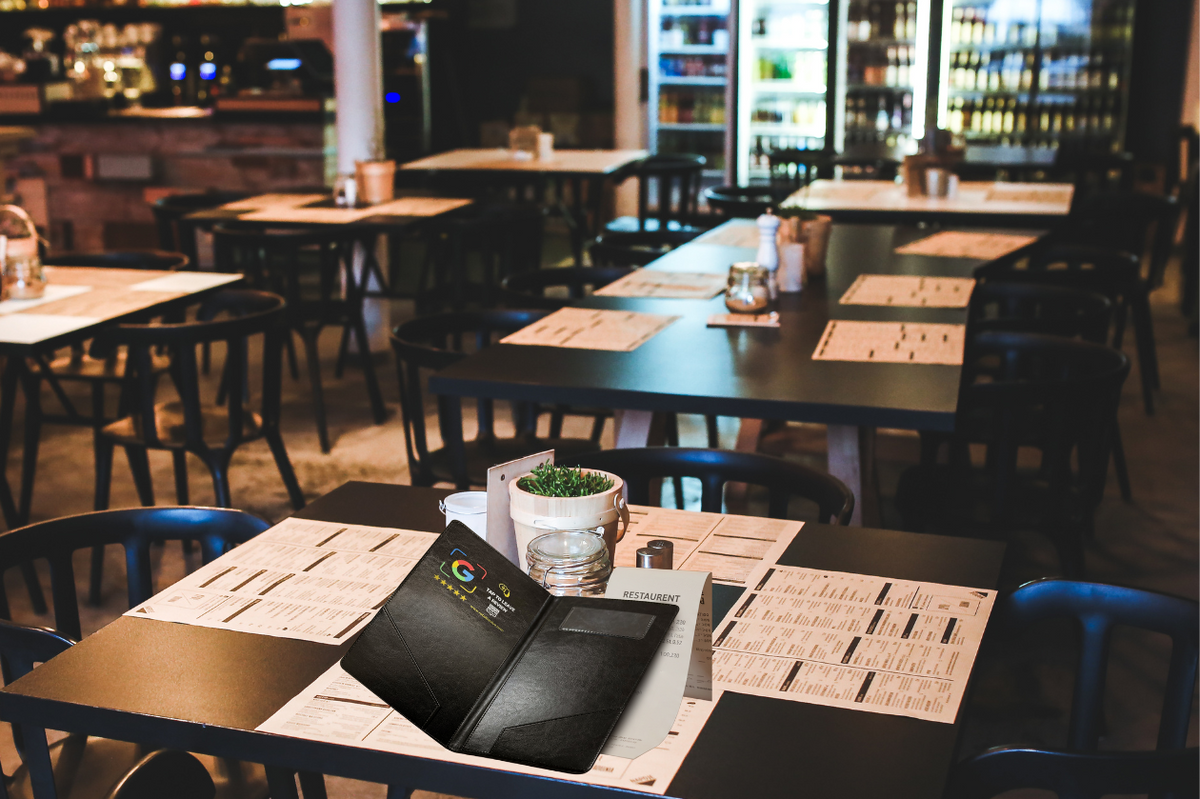
Give guests a simple way to open your business review page when the check arrives. The NFC chip is built into a classic black check presenter, keeping the review touchpoint within the normal payment experience.
Product details
- Restaurant-ready format: Holds standard checks, receipts, cash, and cards.
- Open dimensions: Approximately 270 × 320 mm.
- Wipe-clean exterior: Water-resistant faux leather for everyday service use.
- Passive NFC: No batteries or charging required.
- Prepared for your restaurant: The destination link is added using the business information you provide.
Where to use it
Use the presenter during check delivery in sit-down restaurants, cafés, bars, and hospitality settings. Counter-service businesses can pair it with a stand or plaque at the register.
What’s included
- 1 NFC check presenter
- Link preparation for your restaurant
- Setup guidance
No Review Booster subscription is required for the basic tap-to-open function. Software access is separate. See hardware and software details.
Order and setup
- Send your business details. After ordering, email support@retailrevive.com with your order number, business name, location, and Google review link.
- Test your prepared link. We prepare the destination link for your business. When your order arrives, test it on a compatible phone and confirm that the correct business page opens.
- Your server delivers the check and the guest taps the marked NFC area with a compatible phone.
Use the phone testing guides for your prepared product. Contact support before attempting to rewrite the tag.
Shipping
Free Economy shipping is available for eligible U.S. addresses with no minimum order value. Select the free Economy option at checkout. Paid upgrades and international shipping are calculated at checkout. See shipping details.
Common questions
Does the guest need an app?
On most compatible NFC-enabled phones, a separate app is not needed to open the programmed link. NFC support and settings vary by device.
Does the presenter need charging?
No. The embedded NFC chip is passive and does not use a battery.
How should it be cleaned?
Wipe the exterior with a lightly damp cloth and avoid soaking the presenter or using harsh cleaners.
Does it guarantee reviews or a particular rating?
No. The presenter only makes the review page easier to reach. Results depend on guest participation and the experience your restaurant provides.
What should I do if a tap does not work?
Ask the guest to unlock the phone, keep the screen on, remove thick or magnetic accessories, and move the upper or middle back of the phone slowly across the marked area. Additional guidance is available in the NFC setup guides.
Explore other formats
- NFC Review Stand for a register or host stand
- NFC Review Plaque for a prominent fixed display
- NFC Review Card for takeout, catering, or mobile service teams
Invite honest feedback consistently. Do not pressure guests, offer improper incentives, or request a particular star rating.
Share